Hi, I'm Wayland Zhang, the creator of Kocoro.
I've been an engineer for over a decade, and I spent some of my early years inside the University of Toronto, back when the AI air was thick and the names Hinton, Ilya, and Karpathy were just people down the hall rather than symbols of an era. What stuck with me from that time wasn't the names. It was one observation: the technology that ends up changing the world almost always looks unremarkable at the start.
When ChatGPT arrived, people called it a new species. I won't argue. But the more I used it — and the more I used everything that came after it — the more I felt that most AI products are stuck in a strange place:
The models keep getting smarter, and the users keep turning into assistants.
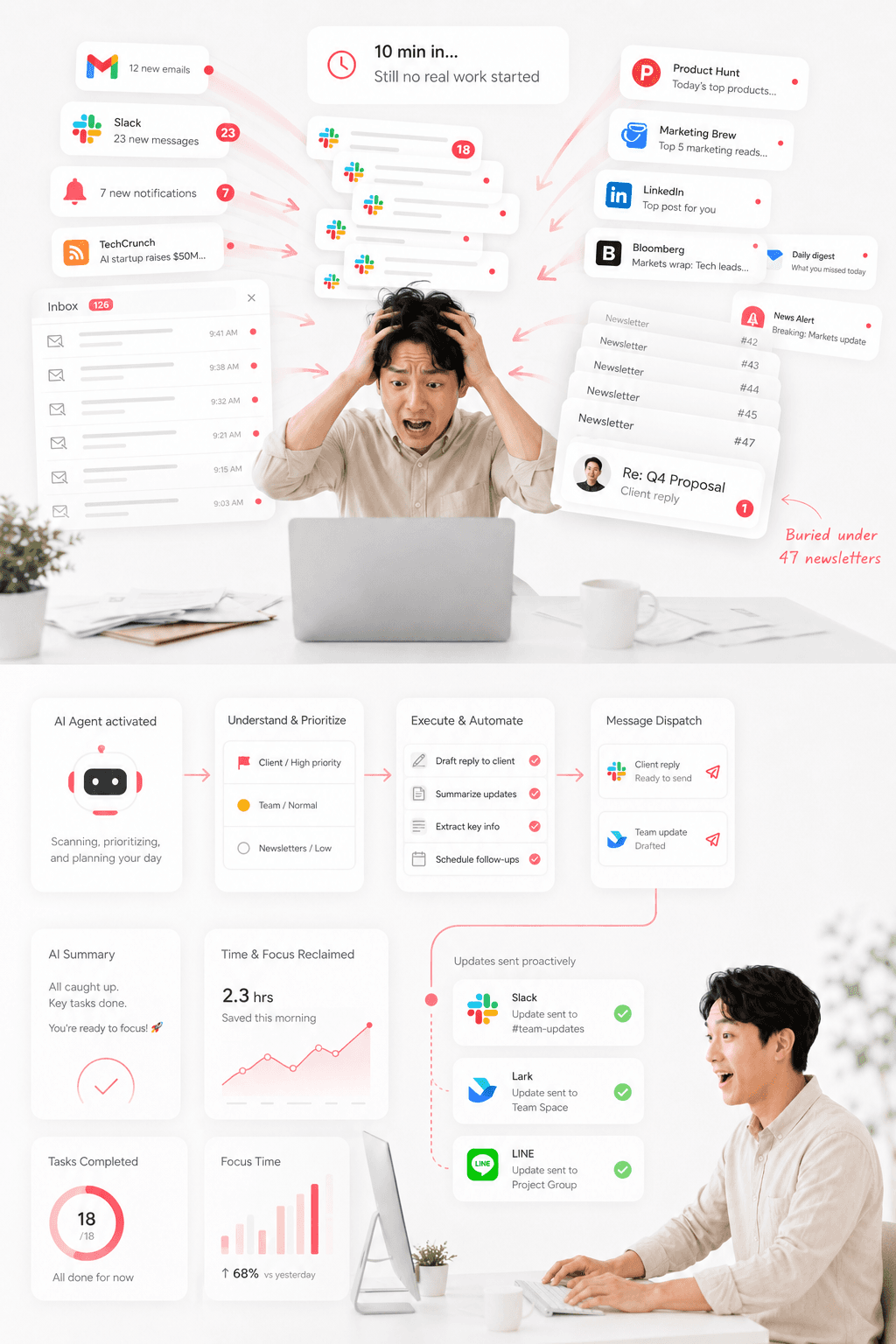
You drag the file in. You paste the email over. You explain, again, who this project is for, what was decided last time, why this particular customer is a special case. You narrate what's on your screen, what's open on your desktop, where yesterday's conversation left off.
It collapses into an absurd arrangement:
The AI is the brain. You are its hands, its eyes, and its memory.
I didn't want to keep working that way.
A Longer Context Window Is Not Memory
The real battleground for desktop AI was never the chat box.
Over the past year, nearly every major lab and startup has shipped some flavor of desktop agent — browser agents, cloud agents, automation agents. They're impressive, and they point at something obviously true: AI is not going to live inside a web chat window forever. It's going to move into your computer, your files, your actual workflow.
But every time I tried one, the same discomfort showed up. They still behave like a remote help desk.
You ask, it answers. You hand it something, it looks. You explain, and only then does it understand. The moment the session ends, so does the relationship. Tomorrow you start over, a stranger again.
The industry's answer to this has been to make the context window bigger. Stuff more chat history back into the prompt. Cram more files into the window. Treat more tokens as "I remember."
That isn't memory. That's recitation.
Real memory isn't keeping every word. It's knowing what matters, what will shape the next decision, and what changes over time. You don't remember every sentence your colleague said last quarter — you remember that they hate surprise meetings, that the Q3 launch slipped because of legal, that this client always pushes back on the first quote. Memory is compression with judgment.
I wrote about this six months ago, in The Four Realms of Neural Networks. The argument there was that the next leap for agents isn't only larger models — it's whether an agent can accumulate stable experience across continuous work and continuous life. A model with a huge context window but no memory is a brilliant amnesiac. It can reason about anything and remember nothing.
Episodic Memory: How Kocoro Actually Remembers
So in Kocoro we built Episodic Memory.
It does not work by pushing your old conversations back into the prompt. While you're resting, it goes over what happened during the day and distills it — the projects you touched, the people involved, the decisions you made, the preferences you revealed, the tasks you left unfinished — into a structure it can actually reason over.
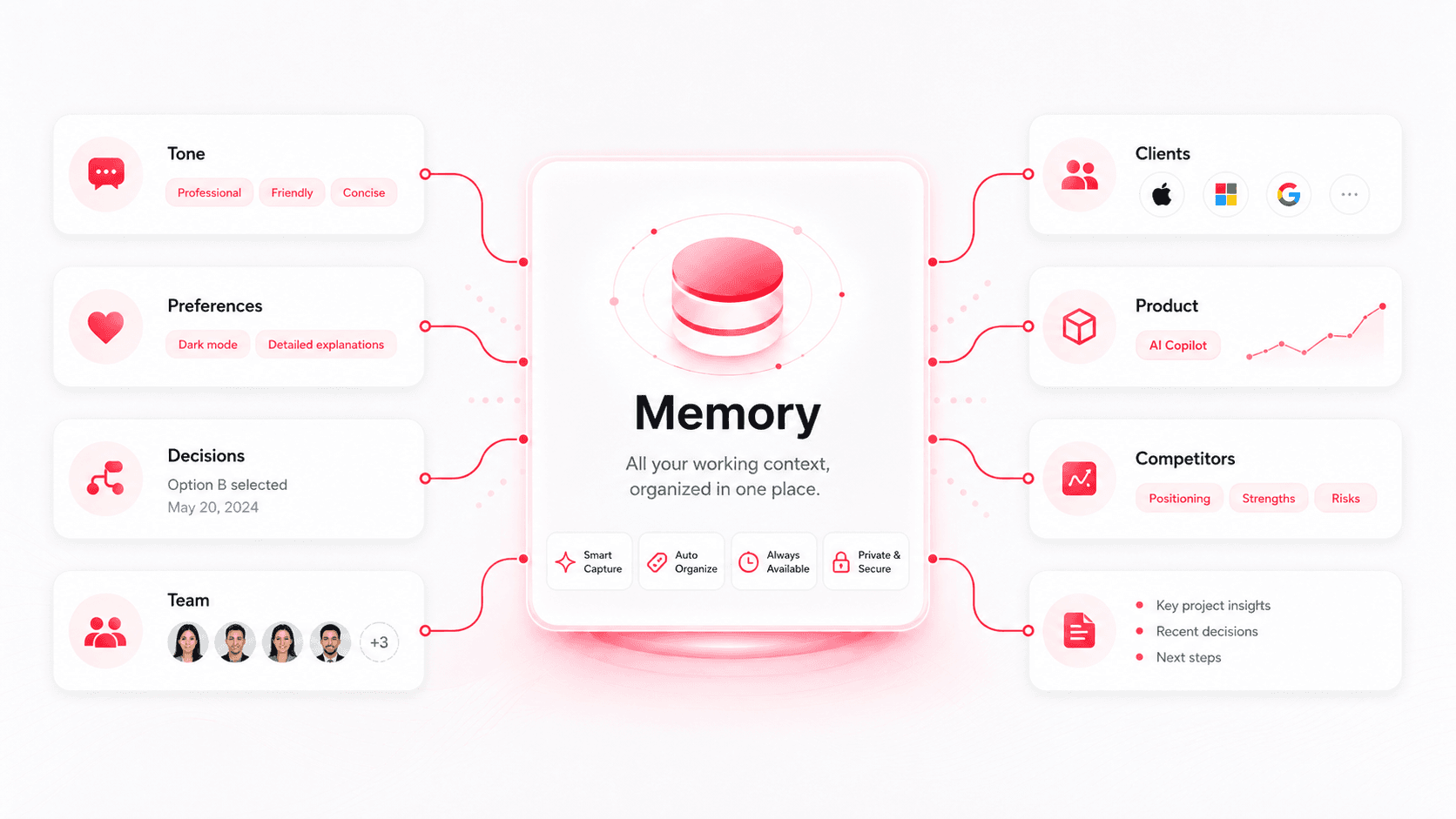
When you come back the next morning, it isn't "reloading context." It's picking up where you left off. It knows your tone, your standing preferences, the call you made on May 20th, who's on the team, which client is which.
That sounds like a small thing. It changes the basic relationship between you and an AI assistant:
It stops merely answering you, and starts building working rapport with you.
The difference is the one between a temp who reads the handover doc every morning and a colleague who's been on the team for a year.
A Real Agent, Not a Remote Help Desk
Memory is the inside. The outside is reach — and a memory that can't act on anything is just a diary.
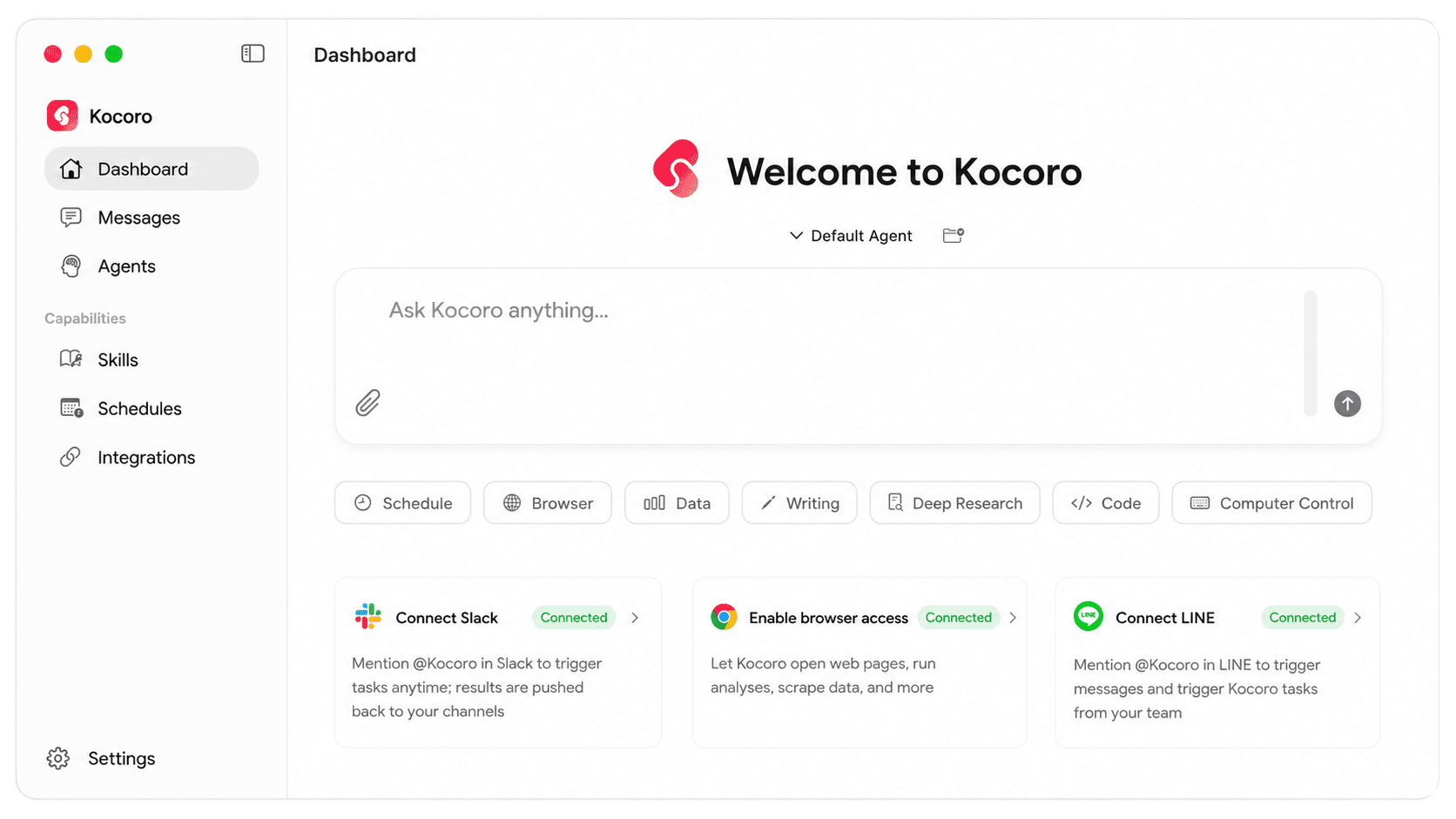
Kocoro is a Mac-native, local agent. It knows where your projects live, what you were changing yesterday, which tools you reach for. It can open the browser, operate desktop apps, organize files, update documents, and carry a task across several apps without you stitching the steps together by hand.
And because it remembers, it can keep working when you're not watching. You can schedule it to draft tomorrow's posts, pull a weekly report, summarize the morning's news, and push the result to you in Slack or LINE — so the first thing you see isn't a blank prompt, but work already done.
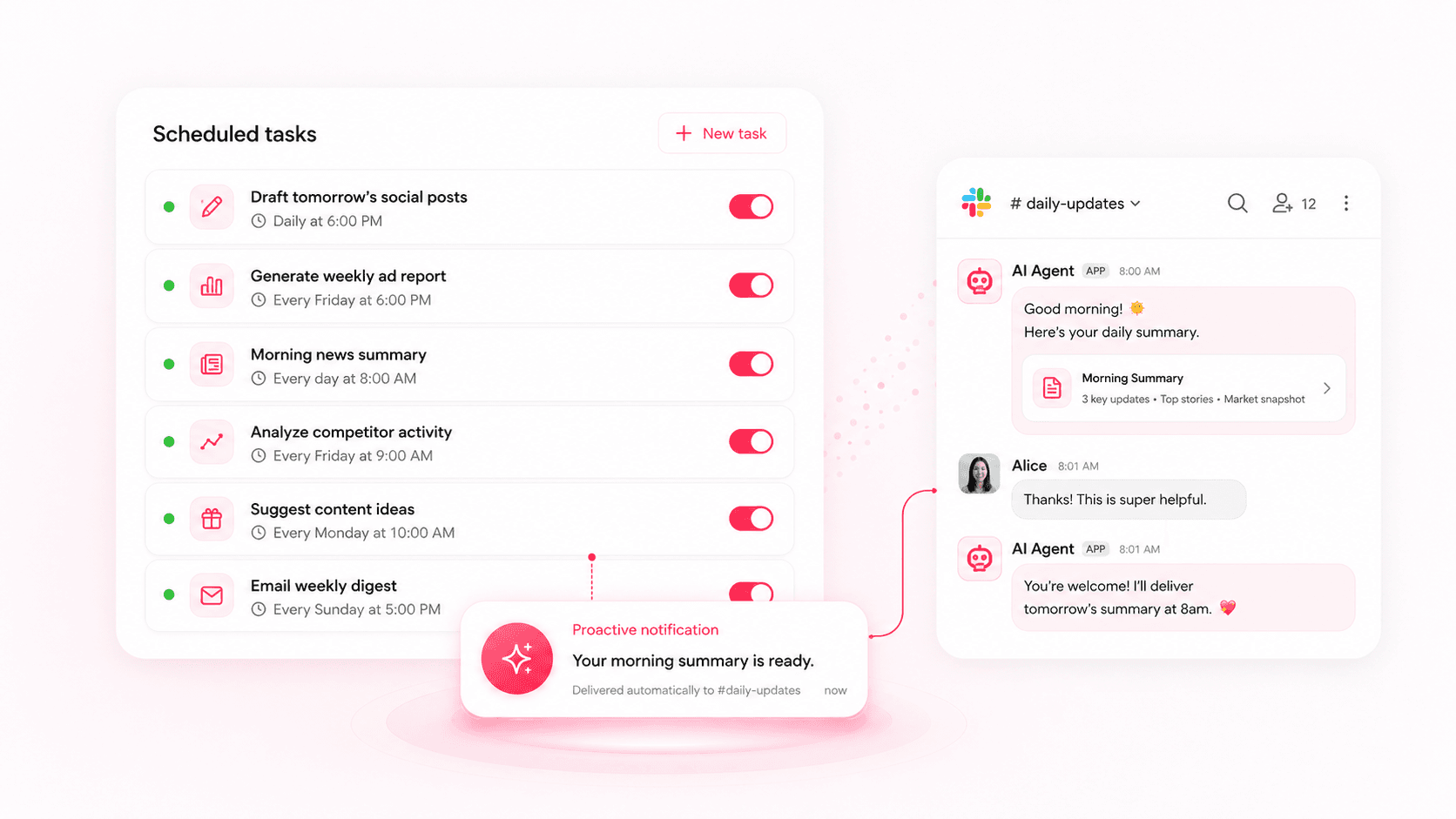
This is the part that the remote-help-desk model can't reach. A help desk waits for a ticket. A colleague who knows your week gets ahead of it.
Open by Default
If a desktop agent is really going to handle my files, my browser, my email, my code, and my documents, then I need to know what it's doing.
How does it run? What can it reach? What does it send to the cloud? Where are the edges of what it's allowed to do?
That's why Kocoro's kernel is open source — github.com/Kocoro-lab/Kocoro. Not because open source is fashionable, but because an AI that operates your computer has to be verifiable, auditable, and under your control. Something that drives your machine shouldn't get there on "trust us."
The open-source runtime for Shannon AI agents — a local, Mac-native agent with real memory, computer control, and tool use you can read, audit, and run yourself.
You can run the kernel from the command line with Shannon, or you can install the desktop app and never touch a terminal. Either way, the process is meant to be open — visible enough to inspect, editable enough to bend, and easy enough to switch off.
Why We Call It Kocoro
So Kocoro isn't another chat box.
It's a Mac-native local agent. It has memory. It can operate real tools. It can keep working while you sleep. And it tries to keep its process in the open — something you can see, change, and shut down.
I think everyone is going to have an agent like this. Not a help-desk bot that shows up when summoned, but a long-term partner that understands the rhythm of how you work.
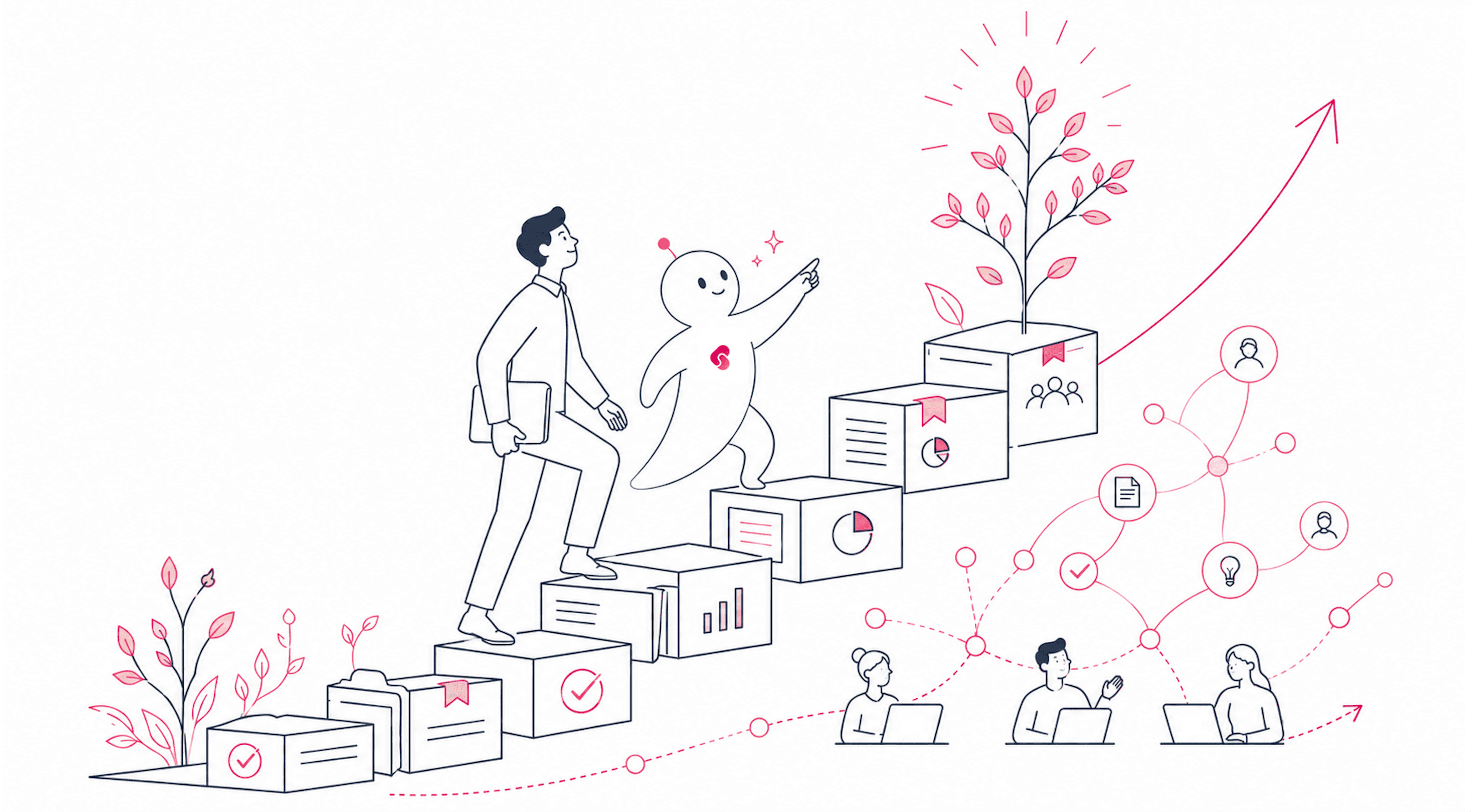
An AI shouldn't only have a brain.
It should also have a heart. Kokoro (心) — that's the word for it. That's why we named it Kocoro.
Read the source on GitHub — you can run Kocoro locally from the command line alongside Shannon.
On a Mac? The fastest way to try it is to download Kocoro Desktop → — there's a free token quota and nothing to configure. Just open it and start.
— Wayland Zhang waylandz.com · @waylandzhang
中文版 · 你的AI有大脑 它更应该有一颗心
大家好,我是 Wayland Zhang,Kocoro 的创建者。
我做了十几年工程师,也在 UofT 那个早期 AI 氛围很浓的环境里待过。Hinton、Ilya、Karpathy 这些名字后来变成了时代符号,但对我来说,留下来的不是这些名字,而是我亲眼见过的一件事:真正改变世界的技术,一开始往往看起来平平无奇。
ChatGPT 出来以后,很多人说这是"新物种"。我不反对。但我越用越觉得,今天大多数 AI 产品还停在一个很奇怪的阶段:
模型越来越聪明,用户却越来越像助理。
你要把文件拖进去。
你要把邮件复制过去。
你要一遍遍解释这个项目是给谁做的、上次怎么决定的、为什么这个客户很特殊。
你要告诉它屏幕上在显示什么、桌面上开着什么、昨天的讨论停在了哪一步。
最后变成了一个荒谬的场景:
AI 是大脑,你是它的手、它的眼睛、它的记忆。
我不想再这样用下去了。
更长的上下文窗口,不等于记忆
桌面 AI 真正的战场,从来不是聊天框。
过去一年,几乎每一家有分量的公司和创业团队,都推出了某种形式的桌面 agent——浏览器 agent、云端 agent、自动化 agent。它们都很强,也都指向一个明显的趋势:AI 不会永远待在网页对话框里,它一定会进入你的电脑、你的文件、你真实的工作流。
但我每次试用,都会冒出同一种不适感:它们还是太像一个"远程客服"。
你问,它答。你给,它看。你解释,它才理解。会话一结束,关系也就结束了。第二天你回来,又是一个陌生人。
而行业对这件事的回应,是把上下文窗口做得更大。把更多聊天记录塞回 prompt。把更多文件塞进窗口。把更多 token 当成"我记得"。
这不是记忆,这是背诵。
真正的记忆不是保存每一个字,而是知道什么重要、什么会影响下一次判断、什么会随时间改变。你不会记得同事上个季度说过的每一句话——你记得的是他讨厌临时会议、Q3 的发布因为法务推迟了、这个客户对第一版报价永远要砍一刀。记忆是带着判断力的压缩。
半年前我写过一篇文章,《神经网络的四重境界》,里面谈到一个判断:未来 agent 的关键不只是模型更大,而是它能不能在连续工作、连续生活里沉淀出稳定的经验。一个上下文窗口巨大、却没有记忆的模型,是个聪明的失忆症患者——它什么都能推理,什么都记不住。
情景记忆:Kocoro 是怎么"记住你"的
所以我们在 Kocoro 里做了 Episodic Memory(情景记忆)。
它不是简单地把你的历史对话塞回 prompt。在你休息的时候,它会回看这一天发生了什么,把它提炼出来——你碰过的项目、牵涉到的人、你做过的决定、你流露出来的偏好、你没做完的任务——变成一个它可以真正拿来推理的结构。
第二天早上你回来,它不是在"重新读取上下文",而是接着昨天的你往下走。它知道你的语气、你一贯的偏好、你 5 月 20 号做的那个决定、团队里都有谁、哪个客户是哪个。
这件事听起来很小。但它改变了你和 AI 助手之间最基本的关系:
它不再只是回答你,而是开始和你长出工作上的默契。
这就像每天早上读交接文档的临时工,和一个已经在团队里待了一年的同事之间的区别。
一个真正的 agent,不是远程客服
记忆是"里子"。"面子"是触达能力——而一个什么都做不了的记忆,只是一本日记。
Kocoro 是一个 Mac 原生的本地 agent。它知道你的项目在哪里,知道你昨天在改什么,知道你常用哪些工具。它可以打开浏览器、操作桌面应用、整理文件、更新文档,把一个任务跨好几个 app 完成,而不需要你手动把每一步串起来。
而且因为它记得,它可以在你不盯着的时候继续工作。你可以让它定时起草明天的帖子、拉一份周报、总结早上的新闻,然后把结果推到你的 Slack 或 LINE 里——这样你早上看到的第一眼,不是一个空白的输入框,而是已经做好的活儿。
这正是"远程客服"那套模式够不到的地方。客服等的是一张工单;而一个了解你这一周的同事,会提前一步把事情办了。
默认开源
如果一个桌面 agent 真的要替我处理文件、浏览器、邮件、代码和文档,那我必须知道它在做什么。
它怎么运行?它能访问什么?它把什么发到云端?它的能力边界在哪里?
这也是为什么 Kocoro 的内核是开源的——github.com/Kocoro-lab/Kocoro。不是因为开源更酷,而是因为一个会操作你电脑的 AI,必须可验证、可审计、可被你控制。一个能动你机器的东西,不应该只靠一句"相信我们"就拿到权限。
Shannon AI agent 的开源运行时——一个本地、Mac 原生、有真实记忆、能操作电脑、且代码可读可审计可自行运行的 agent。
你可以配合 Shannon 在命令行里跑这个内核,也可以直接装桌面 App、完全不碰终端。无论哪种方式,它的过程都尽量摊开——看得见、改得动、关得掉。
所以我们叫它 Kocoro
所以 Kocoro 要做的不是另一个聊天框。
它是一个 Mac 原生的本地 agent。它有记忆。它能操作真实工具。它可以在你睡觉时继续处理任务。它尽量把过程摊开,让你看得见、改得动、关得掉。
我相信未来每个人都会有一个这样的 agent。不是一个随叫随到的机器人客服,而是一个真正理解你工作节奏的长期搭档。
AI 不应该只有脑子。
它也应该有一颗心。Kokoro(心)——就是这个字。所以我们叫它 Kocoro。
在 GitHub 上查看源码——你可以配合 Shannon 在本地命令行运行 Kocoro。
有 Mac 的同学,最快的尝试方式是直接 下载 Kocoro Desktop →——有免费 token 额度、无需任何配置,打开就能用。
— Wayland Zhang waylandz.com · @waylandzhang