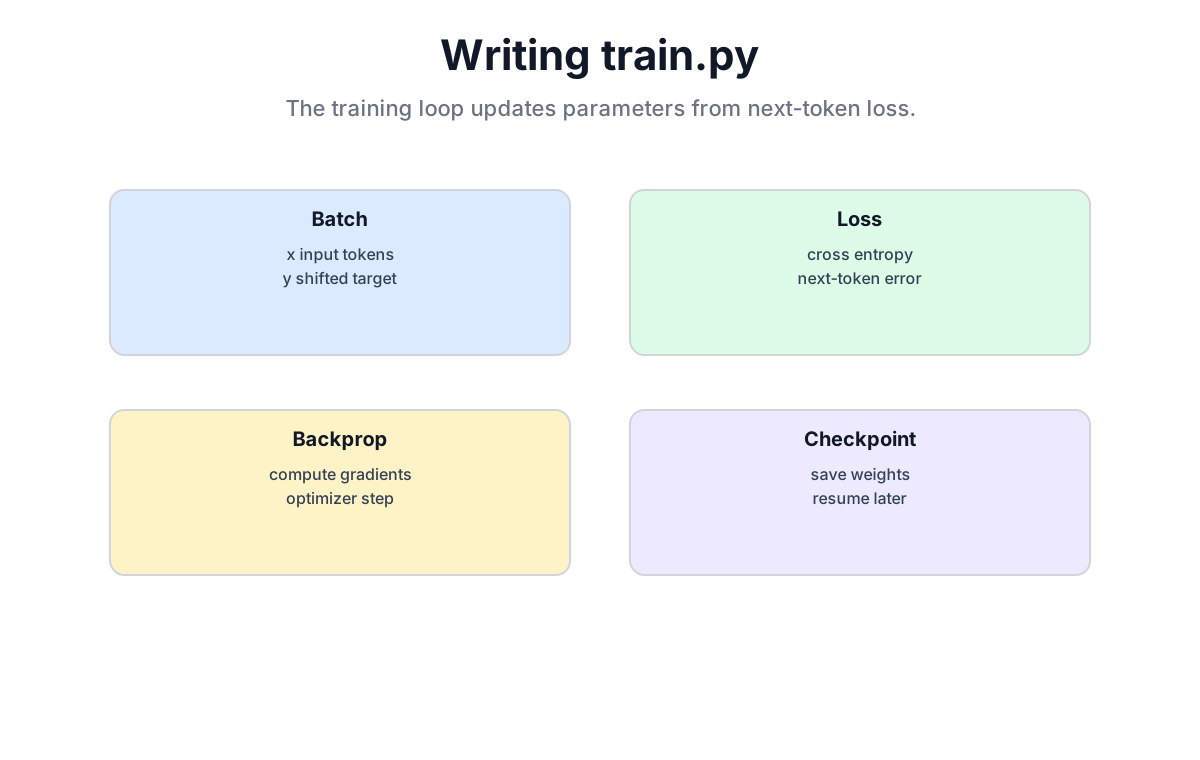
一文要約: トレーニングループは4ステップの繰り返しです。フォワードパス → ロス計算 → バックプロパゲーション → パラメータ更新。100行未満のコードで、ランダムに初期化されたモデルを次のトークンを予測できるモデルへと変えていきます。
完全なコードリポジトリ: github.com/waylandzhang/Transformer-from-scratch
19.1 トレーニングの本質
19.1.1 初期化時のモデルは何を知っているか?
作りたてのモデルはすべてのパラメータがランダムに初期化されています。次のトークンを予測させると、ほぼ一様なノイズを出力します。
# randomly initialized model
model = Model(h_params)

# input: "The agent opened a pull request"
input_ids = tokenizer.encode("The agent opened a pull request")

# output: near-uniform random tokens
output = model.generate(input_ids)
# might produce: "The agent opened a pull request zxtq moon orbit..."
19.1.2 トレーニングの目的
大量のテキストを与えて、モデルにあらゆる位置で次のトークンを予測することを教えます。
Input:  The  agent  opened  a  pull  request
Target: agent opened  a     pull request  for

The model needs to learn:
- see "The"         -> predict "agent"
- see "The agent"   -> predict "opened"
- see "The agent opened" -> predict "a"
- ...
19.1.3 トレーニングの4ステップ
1. Forward pass:      feed input, get predictions
2. Compute loss:      how wrong are the predictions?
3. Backpropagate:     compute gradient of loss w.r.t. every parameter
4. Update parameters: move parameters in the direction that reduces loss
この4ステップを繰り返します。ロスは徐々に下がり、モデルは徐々に賢くなっていきます。
19.2 ハイパーパラメータの設定
19.2.1 ハイパーパラメータ辞書
# hyperparameter configuration
h_params = {
    # model architecture
    "d_model": 80,           # embedding dimension (small value for educational model)
    "num_blocks": 6,         # number of Transformer blocks
    "num_heads": 4,          # number of attention heads

    # training configuration
    "batch_size": 2,         # samples per training step
    "context_length": 128,   # context length (sequence length)
    "max_iters": 500,        # total training steps
    "learning_rate": 1e-3,   # learning rate

    # regularization
    "dropout": 0.1,          # Dropout probability

    # evaluation configuration
    "eval_interval": 50,     # evaluate every N steps
    "eval_iters": 10,        # batches to use per evaluation

    # device
    "device": "cuda" if torch.cuda.is_available() else "cpu",

    # random seed (for reproducibility)
    "TORCH_SEED": 1337
}
19.2.2 重要なハイパーパラメータの説明
| ハイパーパラメータ | 役割 | 典型的な範囲 |
|---|---|---|
batch_size | トレーニング1ステップあたりのサンプル数 | 2-32 (VRAMに制約される) |
context_length | モデルが一度に見るトークン数 | 128-2048 |
learning_rate | パラメータ更新のステップサイズ | 1e-3 から 1e-5 |
max_iters | 総トレーニングステップ数 | 数百から数百万 |
dropout | ランダムにドロップする確率 | 0.1-0.3 |
19.3 データの準備
19.3.1 生テキストの読み込み
# load training data
with open('data/github_pr_titles.csv', 'r', encoding="utf-8") as file:
    text = file.read()

print(f"Text length: {len(text):,} characters")
# output: Text length: 324,523 characters
19.3.2 トークナイズ
# tokenize with TikToken
import tiktoken

tokenizer = tiktoken.get_encoding("cl100k_base")
tokenized_text = tokenizer.encode(text)

print(f"Token count: {len(tokenized_text):,}")
# output: Token count: 77,919
19.3.3 Tensorへの変換とデータセットの分割
# convert to PyTorch Tensor
tokenized_text = torch.tensor(tokenized_text, dtype=torch.long, device=h_params['device'])

# 90% train, 10% validation
train_size = int(len(tokenized_text) * 0.9)
train_data = tokenized_text[:train_size]
val_data = tokenized_text[train_size:]

print(f"Train split: {len(train_data):,} tokens")
print(f"Validation split: {len(val_data):,} tokens")
19.3.4 バッチサンプリング
# randomly sample a batch
def get_batch(split: str):
    """
    Sample one training batch.

    Args:
        split: 'train' or 'valid'

    Returns:
        x: input  [batch_size, context_length]
        y: target [batch_size, context_length]  (shifted right by one)
    """
    data = train_data if split == 'train' else val_data

    # randomly sample starting positions
    idxs = torch.randint(
        low=0,
        high=len(data) - h_params['context_length'],
        size=(h_params['batch_size'],)
    )

    # build input and target
    x = torch.stack([data[idx:idx + h_params['context_length']] for idx in idxs])
    y = torch.stack([data[idx + 1:idx + h_params['context_length'] + 1] for idx in idxs])

    return x.to(h_params['device']), y.to(h_params['device'])
19.3.5 xとyの関係を理解する
Assume context_length = 8

Raw data: [The, agent, opened, a, pull, request, for, review, .]
              |
x (input):  [The, agent, opened, a, pull, request, for, review]
y (target): [agent, opened, a, pull, request, for, review, .]

y is x shifted right by one. The model must learn: x[i] -> y[i]
1つのトレーニングシーケンスは同時に8つの訓練例を提供します。各位置ごとに1つです。
19.4 ロス関数
19.4.1 Cross-Entropy ロス
モデルは各位置で語彙全体に対する確率分布を出力します。予測と実際の差を測るためにCross-Entropy ロスを使います。
# compute loss
loss = F.cross_entropy(
    input=logits_reshaped,    # model predictions [batch*seq, vocab_size]
    target=targets_reshaped   # true targets [batch*seq]
)
19.4.2 ロスの値が意味すること
- ランダム初期化時: ロス ≈ 10-11 (
ln(vocab_size)に近い) - トレーニング後: ロスは 2-4 まで下がりうる
- 過学習: トレーニングロスは低いが、検証ロスは上昇している
ランダム初期化時の予測はほぼ一様分布で、これは約50,000トークンに対する偏りのない一様分布から最大エントロピーが予測する値とちょうど一致します。
19.5 評価関数
19.5.1 なぜ別途評価するのか?
トレーニングロスが下がっているからといって、モデルが学習できているとは限りません。トレーニングセットを丸暗記しているだけかもしれません。モデルが見たことのない検証データでパフォーマンスを確認する必要があります。
19.5.2 評価コード
# evaluation function
@torch.no_grad()  # skip gradient computation to save memory
def estimate_loss():
    out = {}
    model.eval()  # switch to evaluation mode (disables Dropout)

    for split in ['train', 'valid']:
        losses = torch.zeros(h_params['eval_iters'])

        for k in range(h_params['eval_iters']):
            x_batch, y_batch = get_batch(split)
            logits, loss = model(x_batch, y_batch)
            losses[k] = loss.item()

        out[split] = losses.mean()

    model.train()  # switch back to training mode
    return out
19.5.3 model.train() と model.eval() の違い
| モード | Dropout | BatchNorm |
|---|---|---|
model.train() | 活性化をランダムにドロップする | バッチ統計量を使う |
model.eval() | ドロップしない | 保存された統計量を使う |
評価では必ず model.eval() を使います。そうしないと Dropout のランダム性によって結果がブレてしまい、ロスの推定値が信頼できなくなります。
19.6 オプティマイザ
19.6.1 AdamW
# create optimizer
optimizer = torch.optim.AdamW(
    model.parameters(),
    lr=h_params['learning_rate']
)
AdamW は次の3つを組み合わせています。
- モーメンタム: 勾配方向の履歴を蓄積する
- 適応的学習率: 各パラメータが独自の実効ステップサイズを持つ
- Weight decay: 過学習を防ぐ L2 正則化
19.6.2 なぜ AdamW なのか?
| オプティマイザ | 長所 | 短所 |
|---|---|---|
| SGD | シンプル、汎化性能が良い | 収束が遅い |
| Adam | 収束が速い | 汎化性能がやや劣ることがある |
| AdamW | 速い収束 + 良い汎化 | 少しだけ複雑 |
現代の大規模モデルのトレーニングはほぼ例外なく AdamW を使います。この教育用モデルでも、SGD に比べて目に見えて速く収束します。
19.7 トレーニングループ
19.7.1 完全なトレーニングループ
# training loop
for step in range(h_params['max_iters']):

    # periodic evaluation
    if step % h_params['eval_interval'] == 0 or step == h_params['max_iters'] - 1:
        losses = estimate_loss()
        print(f'Step: {step}, '
              f'Training Loss: {losses["train"]:.3f}, '
              f'Validation Loss: {losses["valid"]:.3f}')

    # 1. sample a batch
    xb, yb = get_batch('train')

    # 2. forward pass
    logits, loss = model(xb, yb)

    # 3. backpropagation
    optimizer.zero_grad(set_to_none=True)  # clear gradients
    loss.backward()                         # compute gradients

    # 4. update parameters
    optimizer.step()
19.7.2 各ステップの説明
optimizer.zero_grad(): 前のステップで計算された勾配をクリアします。
PyTorch はデフォルトで勾配を累積します。ゼロにしないと、各ステップで新しい勾配が古い勾配の上に加算され、まったく間違った更新になります。set_to_none=True はゼロで埋めるよりも少しだけメモリ効率が良くなります。
loss.backward(): 計算グラフ上でバックプロパゲーションを実行します。
ここで PyTorch の自動微分が真価を発揮します。入力からロスまでのすべての演算を辿り、ロスに対する各パラメータの勾配を自動的に計算してくれます。
optimizer.step(): 勾配に基づいてパラメータを更新します。
parameter_new = parameter_old - learning_rate × gradient19.8 トレーニング出力の例
Step: 0, Training Loss: 10.847, Validation Loss: 10.852
Step: 50, Training Loss: 7.234, Validation Loss: 7.198
Step: 100, Training Loss: 5.421, Validation Loss: 5.456
Step: 150, Training Loss: 4.312, Validation Loss: 4.387
Step: 200, Training Loss: 3.876, Validation Loss: 3.921
Step: 250, Training Loss: 3.542, Validation Loss: 3.678
Step: 300, Training Loss: 3.298, Validation Loss: 3.512
Step: 350, Training Loss: 3.112, Validation Loss: 3.398
Step: 400, Training Loss: 2.987, Validation Loss: 3.287
Step: 450, Training Loss: 2.876, Validation Loss: 3.198
Step: 499, Training Loss: 2.798, Validation Loss: 3.145
注目すべきポイント:
- ロスが約 10.8 から約 2.8 まで下がっている。モデルは確かに学習している
- 検証ロスは常にトレーニングロスより少しだけ高い。未知のデータなので普通の現象
- もし検証ロスが上昇しはじめてトレーニングロスだけが下がるようなら、過学習の問題が起きている
19.9 モデルの保存
19.9.1 チェックポイントの保存
# save model
import os

if not os.path.exists('model/'):
    os.makedirs('model/')

torch.save({
    'model_state_dict': model.state_dict(),
    'h_params': h_params
}, 'model/model.ckpt')

print("Model saved to model/model.ckpt")
19.9.2 何を保存するか
| 内容 | 理由 |
|---|---|
model.state_dict() | モデルの全パラメータ |
h_params | モデルアーキテクチャを再構築するために必要なハイパーパラメータ |
ハイパーパラメータは必ず重みと一緒に保存しましょう。これがなければ、推論時に重みを読み込むためのモデルを再構築できません。
19.10 完全な train.py
"""
Train a Transformer model
"""
import os
import torch
import tiktoken
from model import Model

# GPU memory configuration
os.environ["PYTORCH_CUDA_ALLOC_CONF"] = "max_split_size_mb:512"
torch.cuda.empty_cache()

# hyperparameters
h_params = {
    "d_model": 80,
    "batch_size": 2,
    "context_length": 128,
    "num_blocks": 6,
    "num_heads": 4,
    "dropout": 0.1,
    "max_iters": 500,
    "learning_rate": 1e-3,
    "eval_interval": 50,
    "eval_iters": 10,
    "device": "cuda" if torch.cuda.is_available() else
              ("mps" if torch.backends.mps.is_available() else "cpu"),
    "TORCH_SEED": 1337
}
torch.manual_seed(h_params["TORCH_SEED"])

# load data
with open('data/github_pr_titles.csv', 'r', encoding="utf-8") as file:
    text = file.read()

# tokenize
tokenizer = tiktoken.get_encoding("cl100k_base")
tokenized_text = tokenizer.encode(text)
max_token_value = max(tokenized_text) + 1
h_params['max_token_value'] = max_token_value
tokenized_text = torch.tensor(tokenized_text, dtype=torch.long, device=h_params['device'])

print(f"Total: {len(tokenized_text):,} tokens")

# split data
train_size = int(len(tokenized_text) * 0.9)
train_data = tokenized_text[:train_size]
val_data = tokenized_text[train_size:]

# initialize model
model = Model(h_params).to(h_params['device'])


def get_batch(split: str):
    data = train_data if split == 'train' else val_data
    idxs = torch.randint(low=0, high=len(data) - h_params['context_length'],
                         size=(h_params['batch_size'],))
    x = torch.stack([data[idx:idx + h_params['context_length']] for idx in idxs])
    y = torch.stack([data[idx + 1:idx + h_params['context_length'] + 1] for idx in idxs])
    return x.to(h_params['device']), y.to(h_params['device'])


@torch.no_grad()
def estimate_loss():
    out = {}
    model.eval()
    for split in ['train', 'valid']:
        losses = torch.zeros(h_params['eval_iters'])
        for k in range(h_params['eval_iters']):
            x_batch, y_batch = get_batch(split)
            logits, loss = model(x_batch, y_batch)
            losses[k] = loss.item()
        out[split] = losses.mean()
    model.train()
    return out


# training loop
optimizer = torch.optim.AdamW(model.parameters(), lr=h_params['learning_rate'])

for step in range(h_params['max_iters']):
    if step % h_params['eval_interval'] == 0 or step == h_params['max_iters'] - 1:
        losses = estimate_loss()
        print(f'Step: {step}, Training Loss: {losses["train"]:.3f}, '
              f'Validation Loss: {losses["valid"]:.3f}')

    xb, yb = get_batch('train')
    logits, loss = model(xb, yb)

    optimizer.zero_grad(set_to_none=True)
    loss.backward()
    optimizer.step()

# save model
if not os.path.exists('model/'):
    os.makedirs('model/')

torch.save({
    'model_state_dict': model.state_dict(),
    'h_params': h_params
}, 'model/model.ckpt')

print("Training complete. Model saved to model/model.ckpt")
19.11 オプション: WandB によるトレーニング追跡
19.11.1 WandB とは?
Weights & Biases はトレーニング監視ツールです。次のことができます。
- ロス曲線の可視化
- ハイパーパラメータの記録
- 実験間の比較
19.11.2 統合コード
# WandB integration (optional)
import wandb

# initialize
run = wandb.init(
    project="LLMZhang_lesson_2",
    config={
        "d_model": h_params["d_model"],
        "batch_size": h_params["batch_size"],
        "context_length": h_params["context_length"],
        "max_iters": h_params["max_iters"],
        "learning_rate": h_params["learning_rate"],
    },
)

# log in training loop
for step in range(h_params['max_iters']):
    ...
    wandb.log({
        "train_loss": losses['train'].item(),
        "valid_loss": losses['valid'].item()
    })
この教育用モデルでは WandB は任意です。再現や比較が必要な実験であれば、セットアップに費やす時間に見合う価値があります。
19.12 章のまとめ
19.12.1 トレーニングの流れ
1. Load data -> tokenize -> convert to Tensor -> split train/val

2. Training loop:
   for step in range(max_iters):
       x, y = get_batch('train')      # sample data
       logits, loss = model(x, y)     # forward pass
       optimizer.zero_grad()          # clear gradients
       loss.backward()                # backpropagation
       optimizer.step()               # update parameters

3. Save model -> torch.save()
19.12.2 主要な関数
| 関数 | 役割 |
|---|---|
get_batch() | 1つのバッチをランダムにサンプリングする |
estimate_loss() | トレーニング/検証セットで評価する |
model.train() | トレーニングモードに切り替える |
model.eval() | 評価モードに切り替える |
loss.backward() | 自動微分で勾配を計算する |
optimizer.step() | パラメータを更新する |
19.12.3 中核的な洞察
train.pyは100行未満ですが、完全なトレーニングパイプラインを実装しています。中核は4ステップのループです。フォワードパス → ロス計算 → バックプロパゲーション → パラメータ更新。PyTorch の自動微分のおかげで、フォワードパスを定義するだけでよく、バックワードパスは自動的に追従してくれます。
章のチェックリスト
この章を終えると、次のことができるようになっているはずです。
- トレーニングループの4ステップを説明できる。
- xとyの関係 (1トークン分シフトされている) を説明できる。
-
model.train()とmodel.eval()の違いを説明できる。 - シンプルなトレーニングスクリプトをゼロから書ける。
完全なコード
完全な実装は GitHub にあります。
model.py、train.py、inference.py、ステップごとに進める Jupyter notebook が含まれています。
次の章でお会いしましょう
モデルのトレーニングが終わりました。パラメータはディスクに保存されました。次は、いよいよこのモデルを使ってみましょう。
第20章では inference.py を書きます。チェックポイントを読み込み、プロンプトをエンコードし、モデルに自己回帰的に生成させ、出力をテキストへとデコードして戻す。それは、モデルが初めて「言葉を発する」瞬間です。お楽しみに。